Kontext-Wächter
Shows in Claude Code how full the session is and advises you in good time to start fresh. With a handover note for the next session.
An add-on for Claude Code that shows how far the session has got during long work. (Fortschrittsbalken means “progress bars”.)
When Claude works on something for a long time, you do not know how far along it is. You wonder: will this be done soon, or is it just the start?
The mod shows small progress bars above the input field and in the status line. That way you can see where a big job currently stands.
| For | Claude Code |
|---|---|
| Display | Bars above the input field and in the status line |
| Cost | Free |
| License | MIT |
| Version | 0.1.2 |
| Technology | TypeScript · counts tests from cargo test |
| Installation | One line |
The bars are a guide, not an exact measurement. They only live in memory. If you restart the session, they are gone.
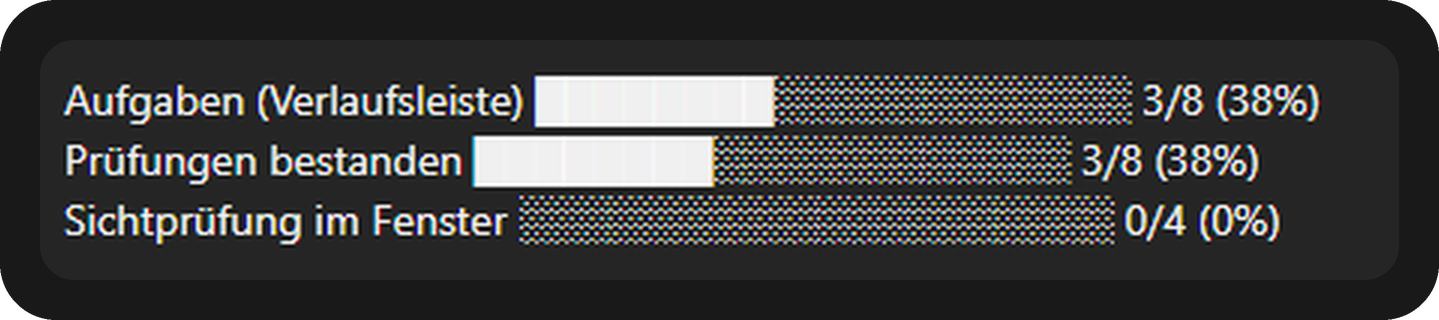
By default the bars sit above the input field. You do not have to set anything for that. They also appear in the status line.
You open the sidebar with /balken (“bars”). There is no settings page in the desktop app.
If another mod draws a band above the input field, the bars may not show up there. They also appear in the status line for that reason.
Type this line at the input field of a session:
/plugin install fortschrittsbalken --marketplace KaelanTesseract/claude-fortschrittsbalken
KaelanTesseract/claude-fortschrittsbalken.Then restart the session or type /reload-plugins.
Type these two lines one after the other in a normal shell. Then restart:
claude plugin marketplace update claude-fortschrittsbalken
claude plugin update fortschrittsbalken@claude-fortschrittsbalken
Shows in Claude Code how full the session is and advises you in good time to start fresh. With a handover note for the next session.
Overview of your insurance contracts. Reads policies and reminds you of cancellation deadlines. Runs on your own server.