Specdeck Edge
Shows temperature, load and FPS of your PC on the CORSAIR XENEON EDGE touchscreen, with 55 styles and a temperature warning.
 Beta
Home Assistant for the touchscreen
See and switch your lights, heating and sensors right at your desk on the CORSAIR XENEON EDGE touchscreen, without reaching for your phone.
You have a Home Assistant and want to keep an eye on lights, heating and sensors without reaching for your phone every time.
Homedeck Edge shows your own devices and sensors from Home Assistant as live tiles on the wide display of your XENEON EDGE, in the order in which you list them. A tap switches, and pressing and holding opens a control panel.
It is made for everyone with a XENEON EDGE and a Home Assistant. You only need the widget, no extra program.
| System | Windows · CORSAIR iCUE 5.52 or newer · XENEON EDGE · Home Assistant |
|---|---|
| Status | Version 0.9.3, first public version (beta) |
| License | MIT (free software) |
| Technology | HTML/CSS/JavaScript (iCUE widget, Home Assistant WebSocket API) |
| Source code | GitHub |
| Downloads | GitHub Releases |
| Setup guide | Guide on GitHub |
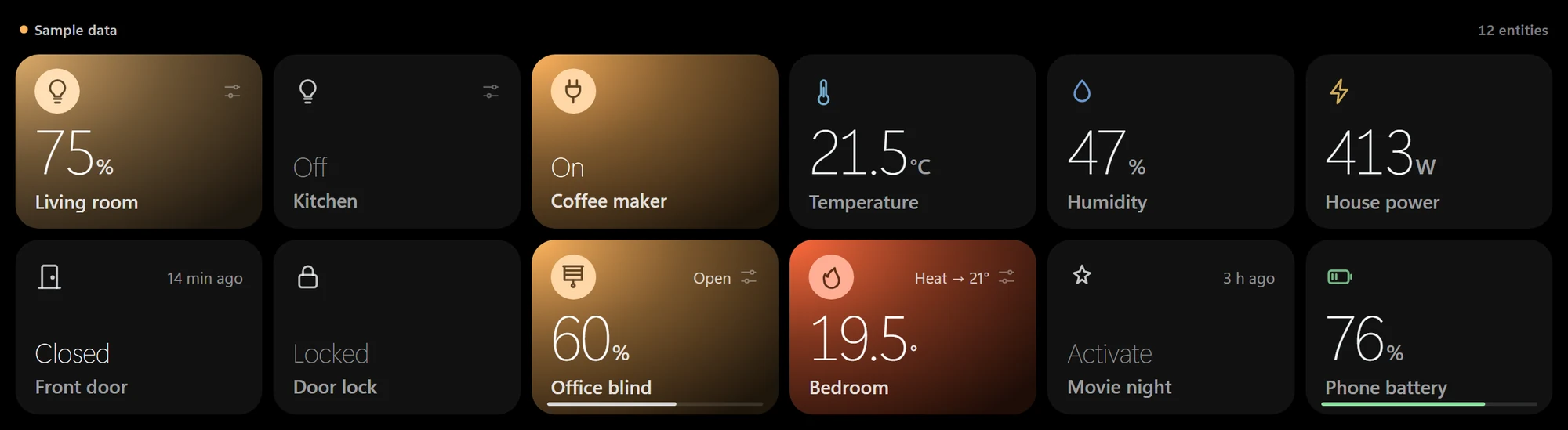
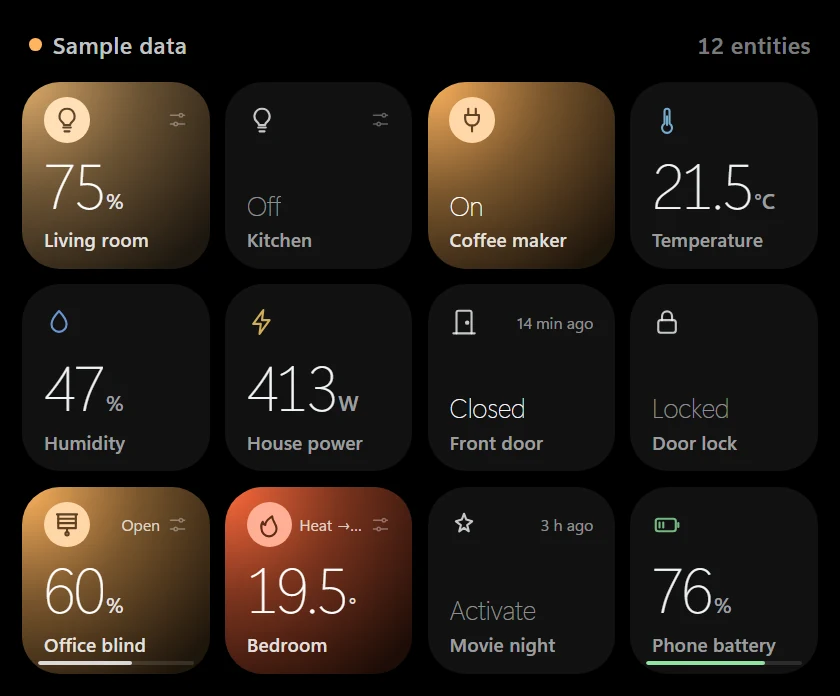
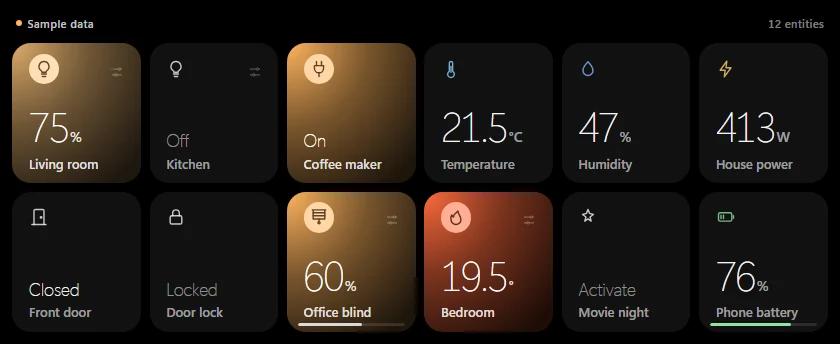
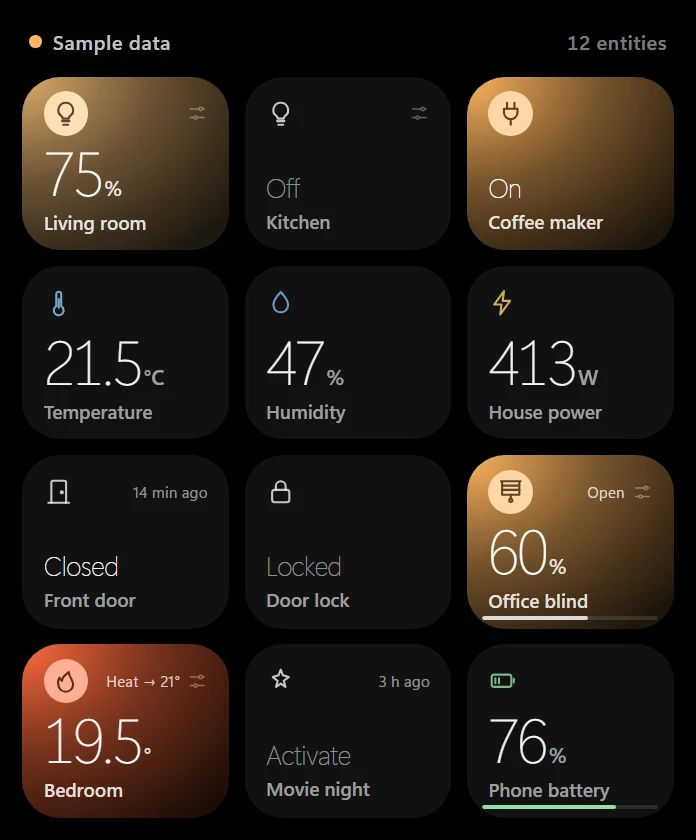
Every tile shows a device or a sensor. A lamp that is on glows in its real color, and dimmed it glows less. A heater glows orange with a flame while it is heating, an air conditioner blue with a snowflake. Sensors have colored icons and show their unit, for example °C, % or W.
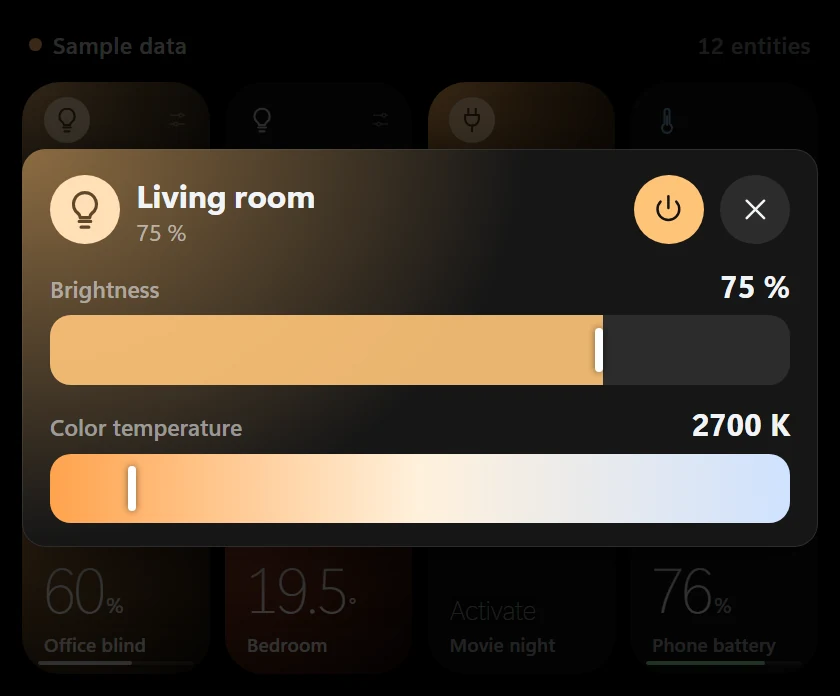
A tap switches a lamp on or off. If you press and hold the tile, a control panel opens with brightness and color temperature.
For the heating you set the target temperature with minus and plus and choose the mode and preset, for example Comfort or Eco.
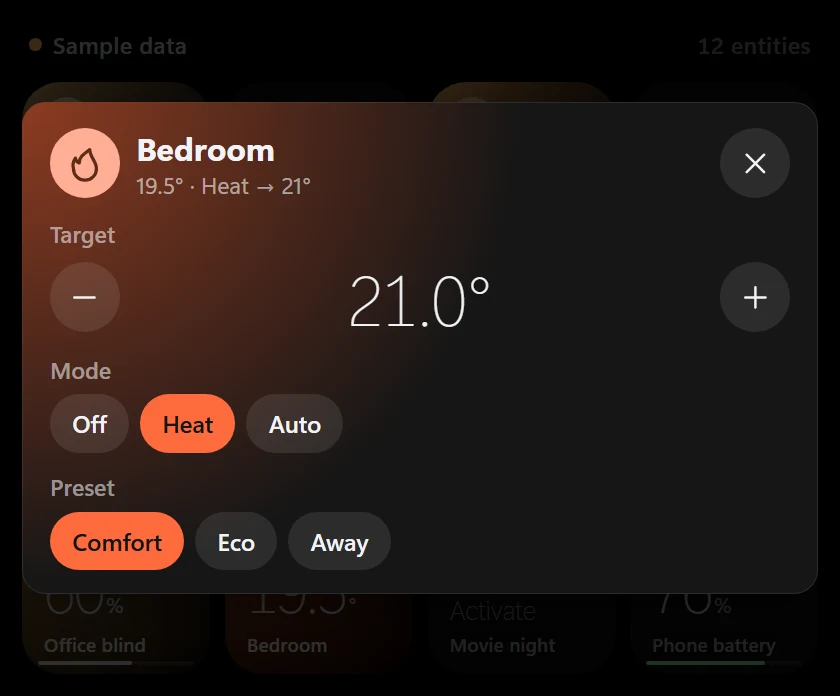
For blinds you set the position and use Open, Stop and Close. For fans you choose the speed. For speakers and TVs you change the volume and skip to the next or previous track.
Doors, windows and motion sensors show when they were last triggered, for example “14 min ago”.
A misspelled name shows up as a red tile “NOT FOUND” instead of simply missing. Without a connection the last values stay greyed out. The widget reconnects by itself.
The widget fits every size of the Edge, from small (S) to XL, horizontal and vertical.
It also looks good upright, here in size Medium.
Homedeck-0.9.3.icuewidget.http://192.168.1.20:8123, plus the token and the names of your devices, for example light.kueche, climate.bad.You need no installer and no administrator rights. More is in the setup guide on GitHub.
Shows temperature, load and FPS of your PC on the CORSAIR XENEON EDGE touchscreen, with 55 styles and a temperature warning.
Gives every app on your PC its own volume slider on the CORSAIR XENEON EDGE touchscreen, with automatic ducking during calls.
Shows a calm space scene with a big clock on the CORSAIR XENEON EDGE touchscreen, plus tasks, calendar, timer, music and shortcuts.
Control Discord from the CORSAIR XENEON EDGE touchscreen: voice channel, chat and direct messages, without leaving your game.
Homedeck Edge is an independent project and is not affiliated with CORSAIR, Home Assistant or the Open Home Foundation. iCUE and XENEON are trademarks of CORSAIR; Home Assistant is a trademark of the Open Home Foundation.