Homedeck Edge
Brings your Home Assistant to the CORSAIR XENEON EDGE touchscreen as glowing live tiles: switch and dim lights and heating.
 Beta
Space scene and daily overview for the touchscreen
Instead of an empty strip next to your keyboard: a turning planet, a big clock and the most important things for your day within reach.
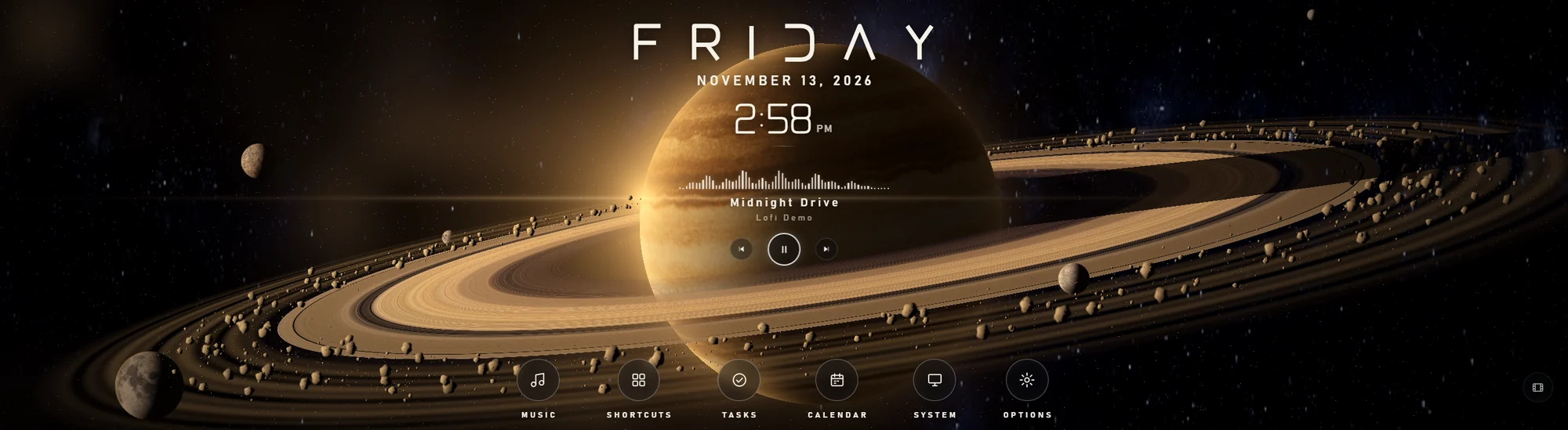
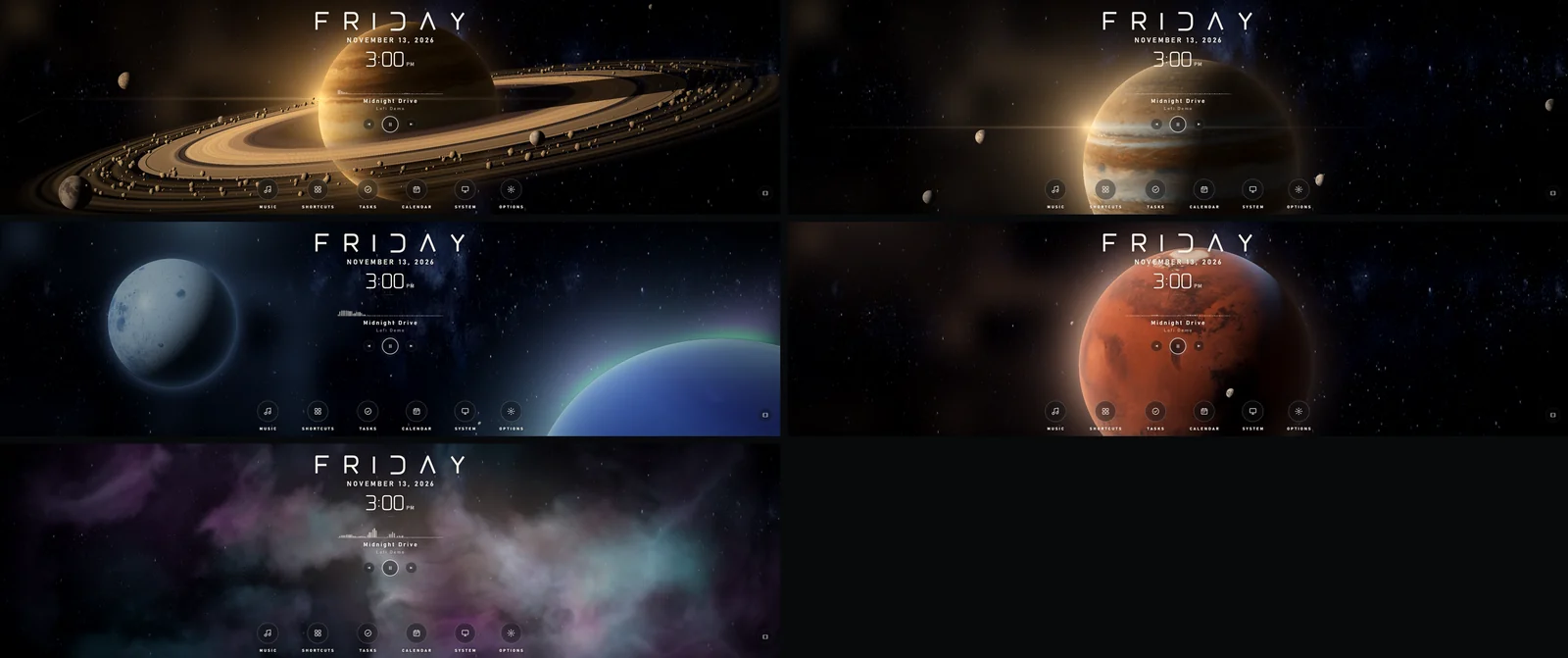
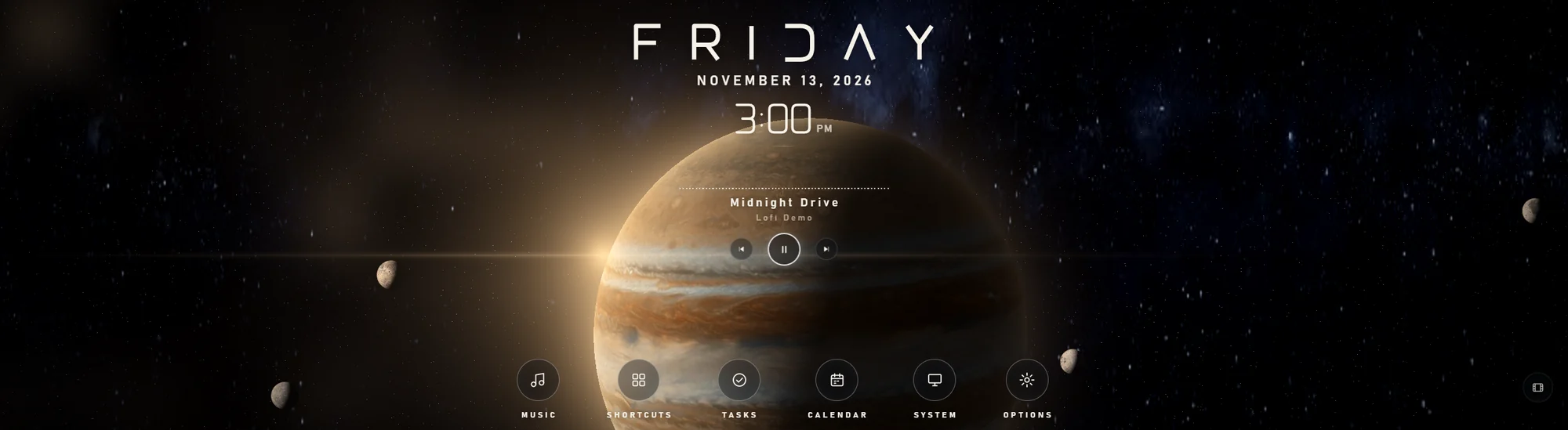
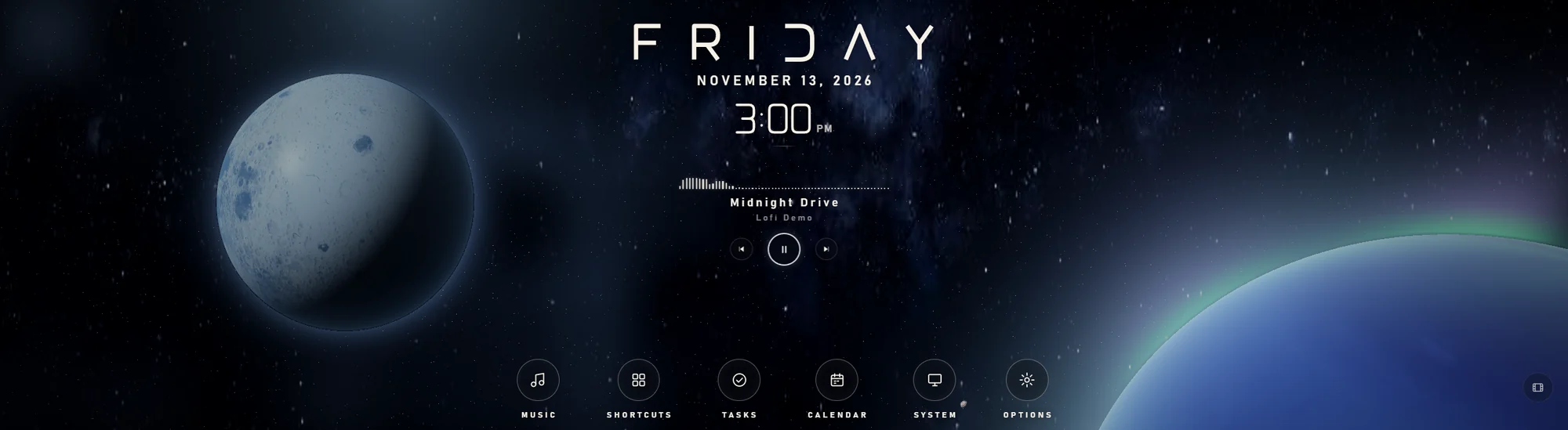
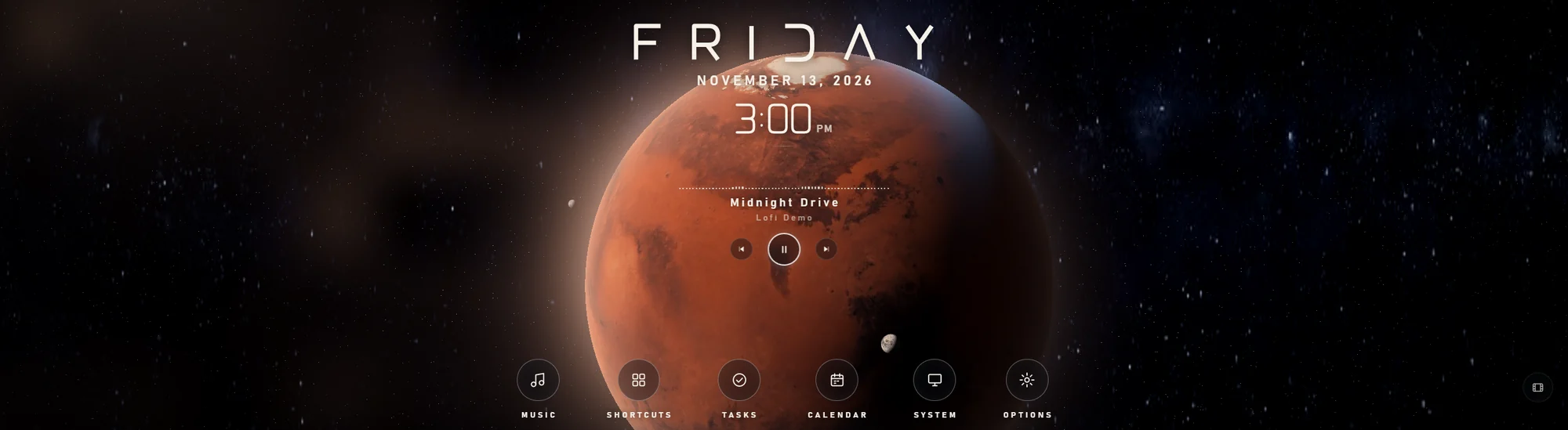
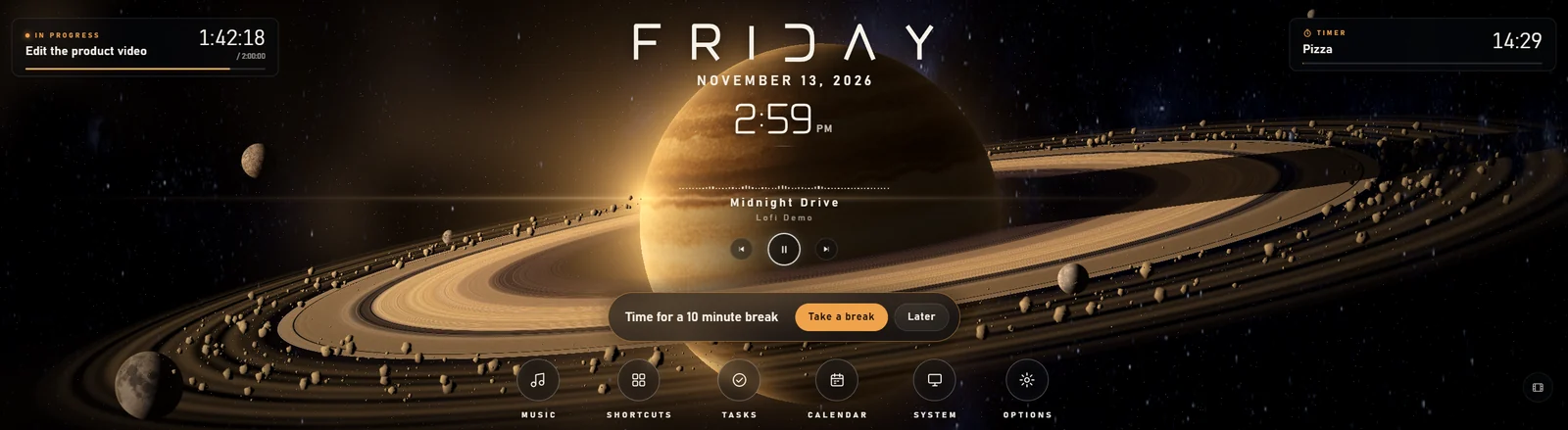
The CORSAIR XENEON EDGE touchscreen often sits unused next to the keyboard. Orbitdeck Edge fills it with a calm space scene: a ringed planet turns slowly, moons and rocks drift by, and above them you see the time, the weekday and the date.
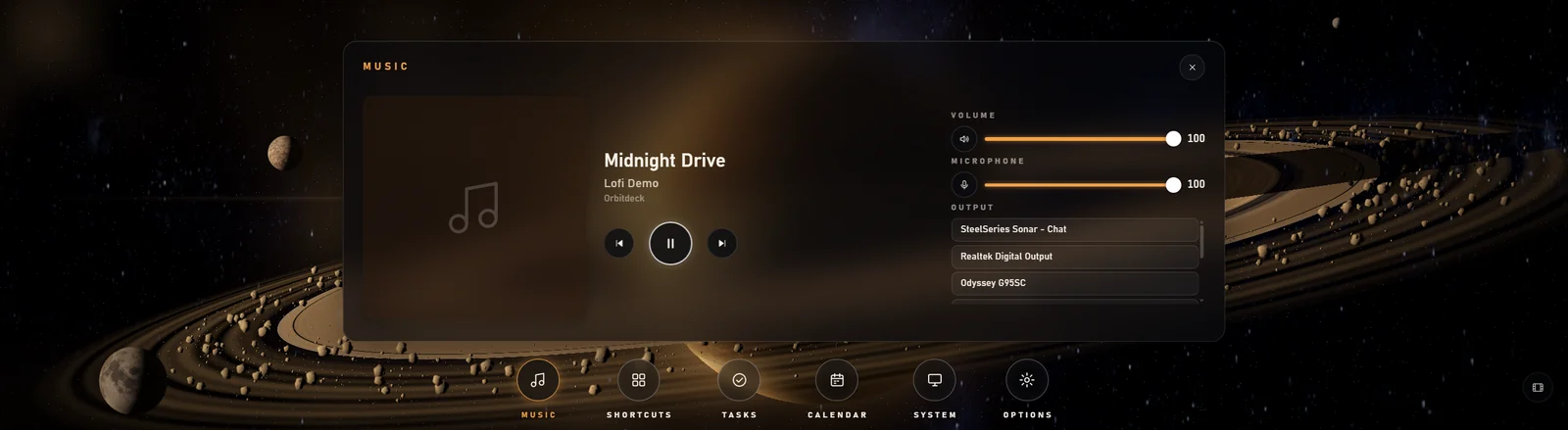
At the bottom there are six round buttons for music, shortcuts, tasks, calendar, system and options. That way the most important things for your day are within reach without switching windows.
It is made for everyone with a XENEON EDGE who wants something nice to look at there. The widget only comes in size XL, horizontal.
| System | Windows 10/11, 64 bit · CORSAIR iCUE 5.52 or newer · XENEON EDGE (size XL, horizontal) |
|---|---|
| Status | Version 0.9.0, first public version (beta) |
| License | MIT (free software) |
| Technology | HTML/CSS/JavaScript with WebGL (iCUE widget), C#/.NET 8 with NAudio (companion program) |
| Image credit | Planet images: Solar System Scope (CC BY 4.0), based on NASA imagery |
| Source code | GitHub |
| Downloads | GitHub Releases |
| Setup guide | Setup on GitHub |
| Privacy | Privacy on GitHub |
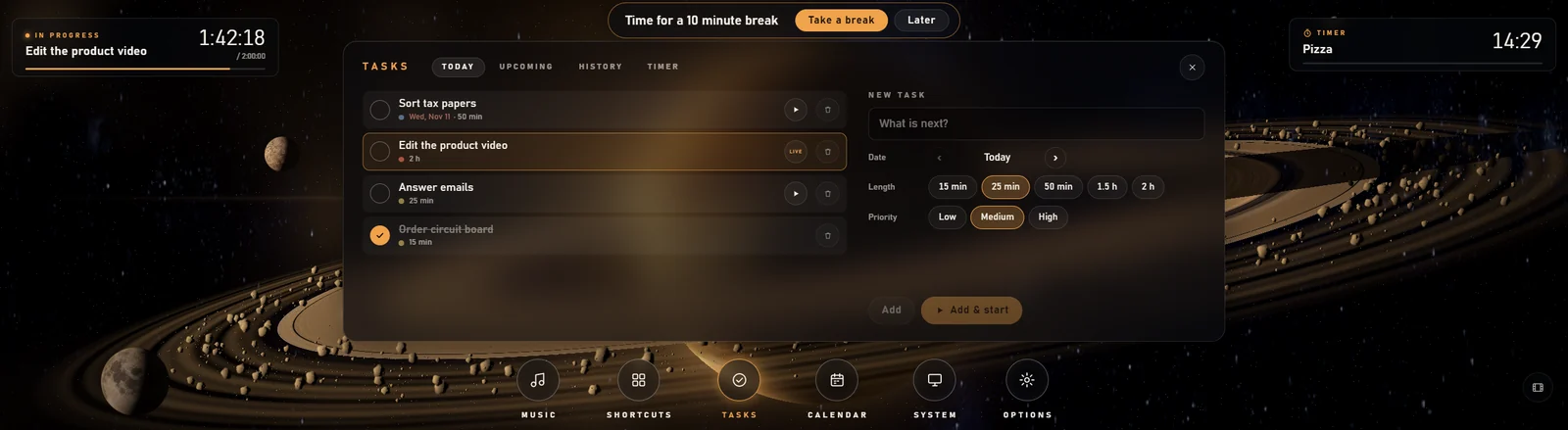
Add tasks for today or later. A tap starts a focus session, and it runs at the top left. A break reminder speaks up, and you see a history and a weekly overview.
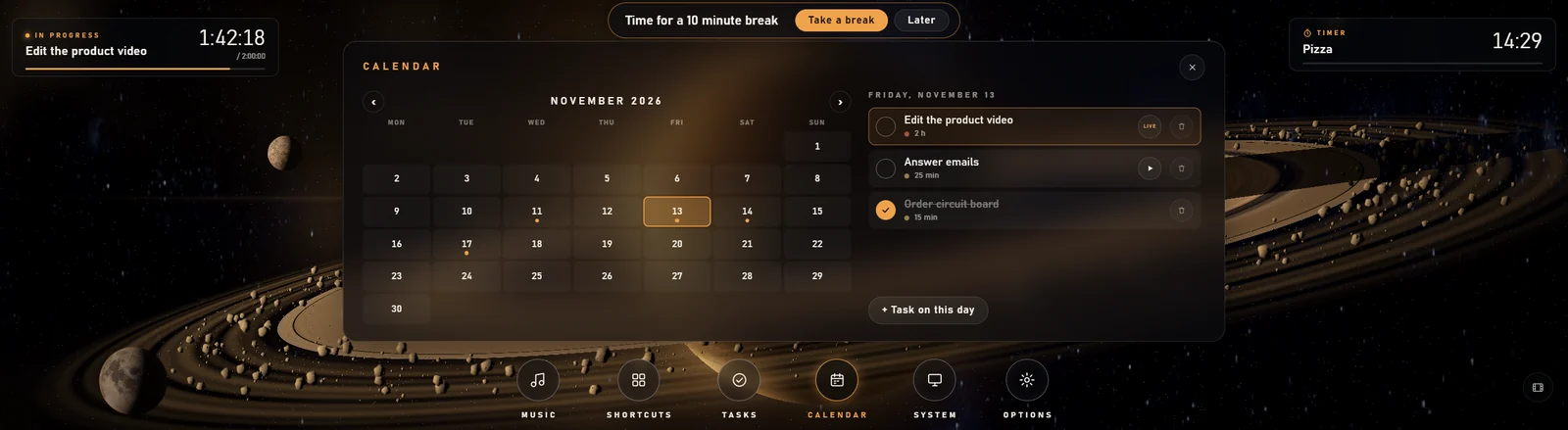
The calendar shows you the tasks per day. The timer runs at the top right. When it runs out, the edge of the screen pulses. With the companion program a sound is added.
You see the title that is playing and can pause or skip. With the companion program you also get volume, microphone, switching between speakers and headphones, and a display that dances to the real sound.
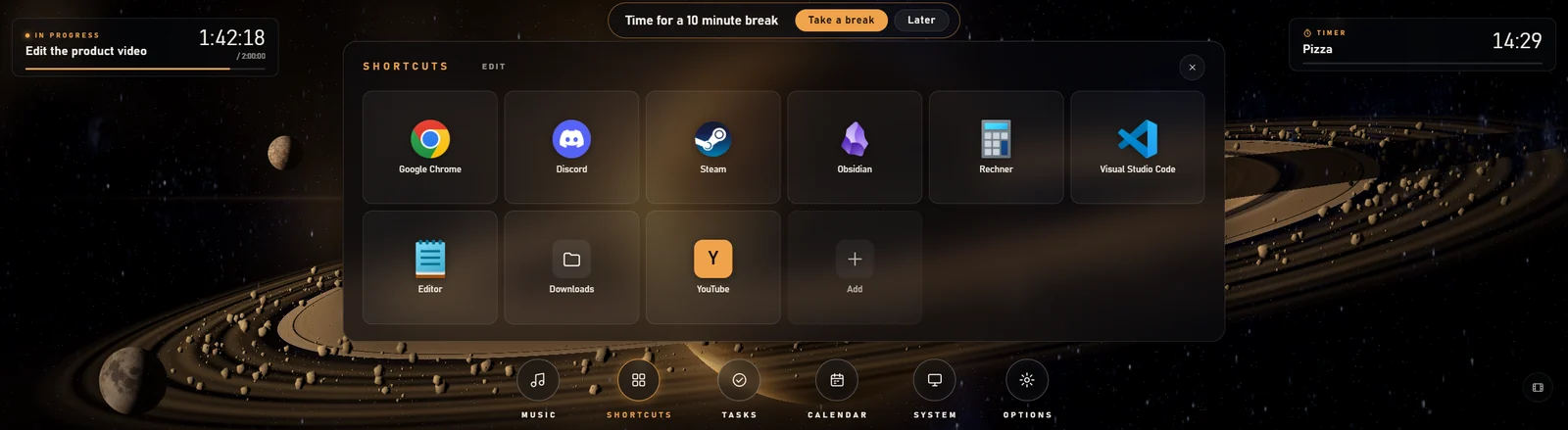
Put up to 12 programs, folders or web pages on tiles. The programs come from the same list as in the Start menu. A tap starts them. This only works with the companion program.
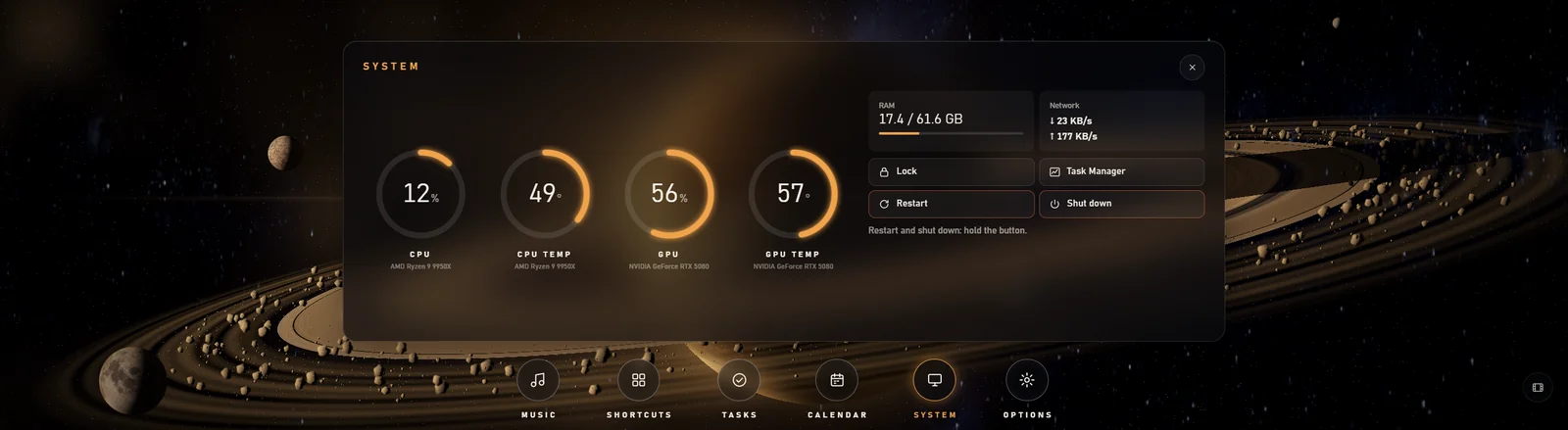
You see load and temperature of processor and graphics card as rings. With the companion program you also get memory and network, plus buttons to lock, open the task manager, restart and shut down. You have to press and hold restart and shut down so you do not trigger them by accident.
In the options you set up the clock, focus, cinema mode and the companion program. On weaker PCs it helps to choose fewer rocks, lower picture quality or the power-saving mode.
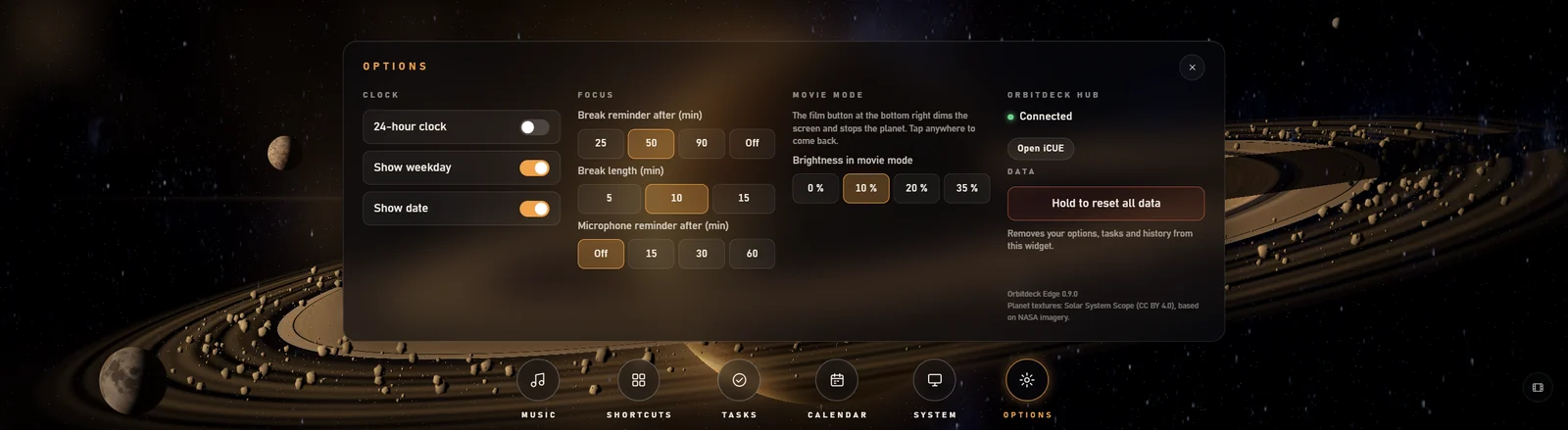
Cinema mode dims the screen and stops the planet. Because Windows shows no on-screen keyboard on the Edge, the widget brings its own, with umlauts in German.
You can choose between Ring world, Gas giant, Ice moon with aurora, Red world and Nebula. You pick the scene in iCUE.

OrbitdeckEdge-Setup-0.9.0.exe. Start it. You do not need administrator rights.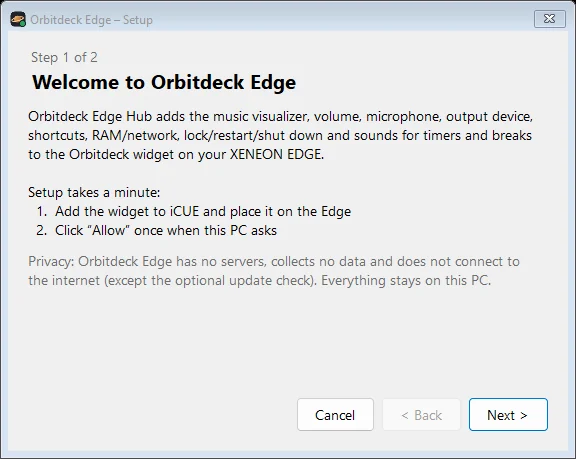
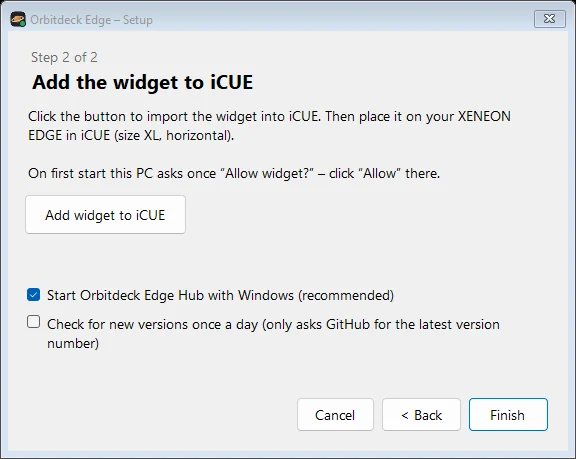
The two pages of the setup assistant. All steps are in the setup guide on GitHub.
Brings your Home Assistant to the CORSAIR XENEON EDGE touchscreen as glowing live tiles: switch and dim lights and heating.
Gives every app on your PC its own volume slider on the CORSAIR XENEON EDGE touchscreen, with automatic ducking during calls.
Shows temperature, load and FPS of your PC on the CORSAIR XENEON EDGE touchscreen, with 55 styles and a temperature warning.
Control Discord from the CORSAIR XENEON EDGE touchscreen: voice channel, chat and direct messages, without leaving your game.
Orbitdeck Edge is an independent project and is not affiliated with CORSAIR. iCUE and XENEON are trademarks of CORSAIR. Planet images: Solar System Scope (CC BY 4.0).